Screen time, made readable
See where your phone time actually goes.
Keel sorts your day into four kinds of time, points out the long scrolls without judging them, and helps you keep to the limits you set.
Free. No account. Android 8+ and iPhone on iOS 17+.
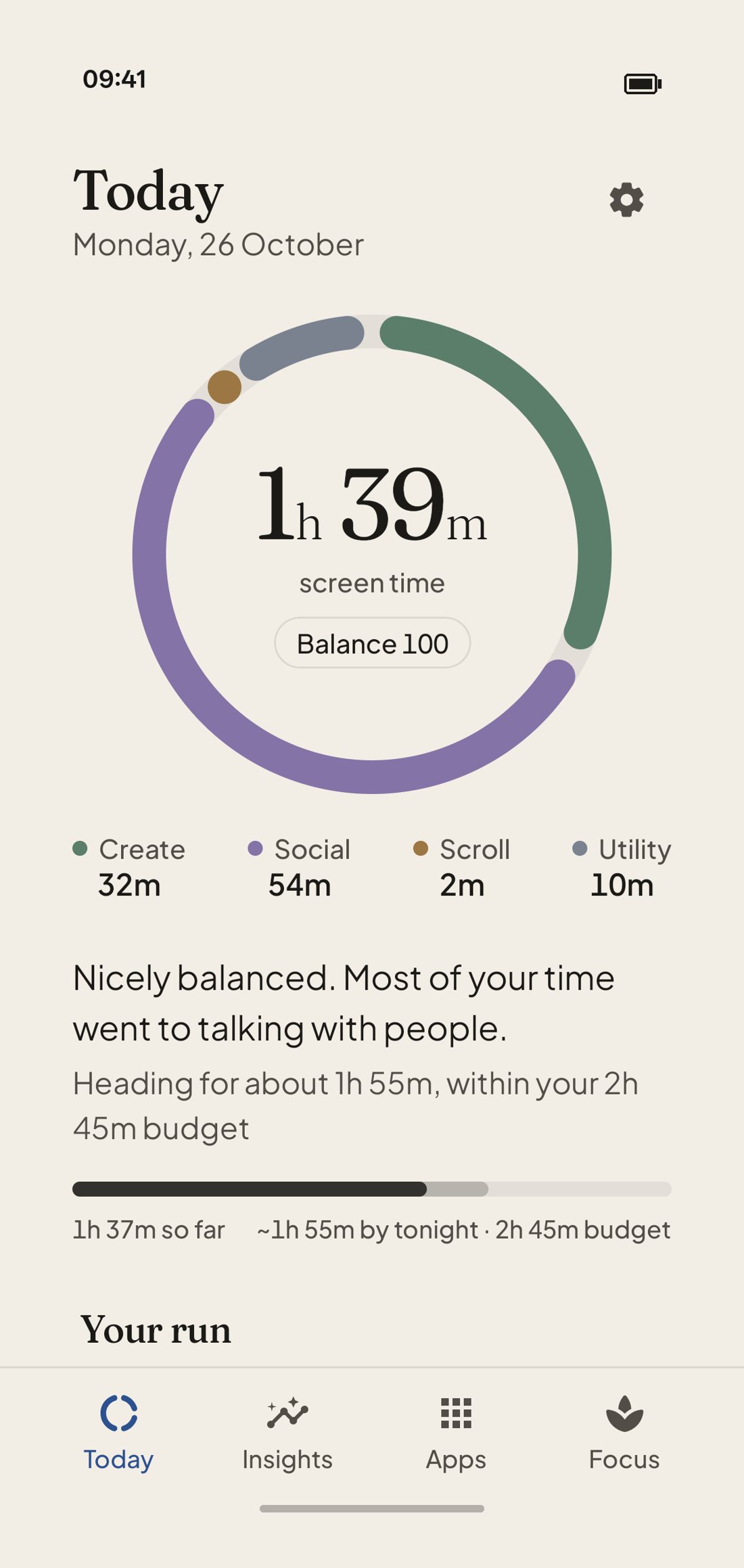
Try it yourself
Build a day. See its Balance.
This is Keel’s real scoring. Drag the sliders, or tap a preset, and watch the ring and the score respond. Tap a colour on the ring to see its share.
Insights
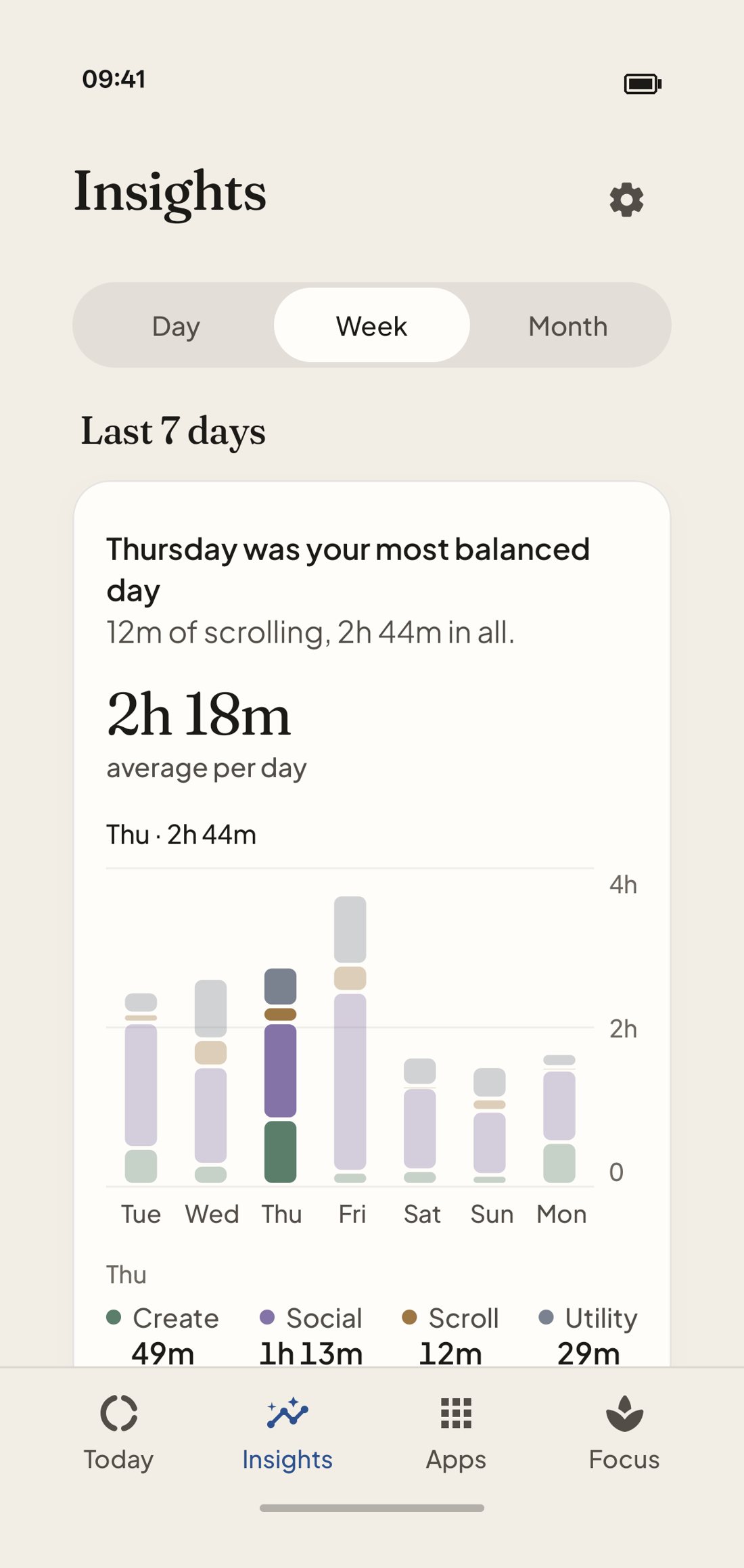
Your habits, in plain sentences.
Every section starts with what it found, and the chart under it shows why. Look at one day in detail, or your week or month at a glance.
Hover or tap a square on the heatmap to see that hour. Switch between weekdays and weekends to watch the headline change.
When you use your phone
Darker means more minutes in that hour.
Apps
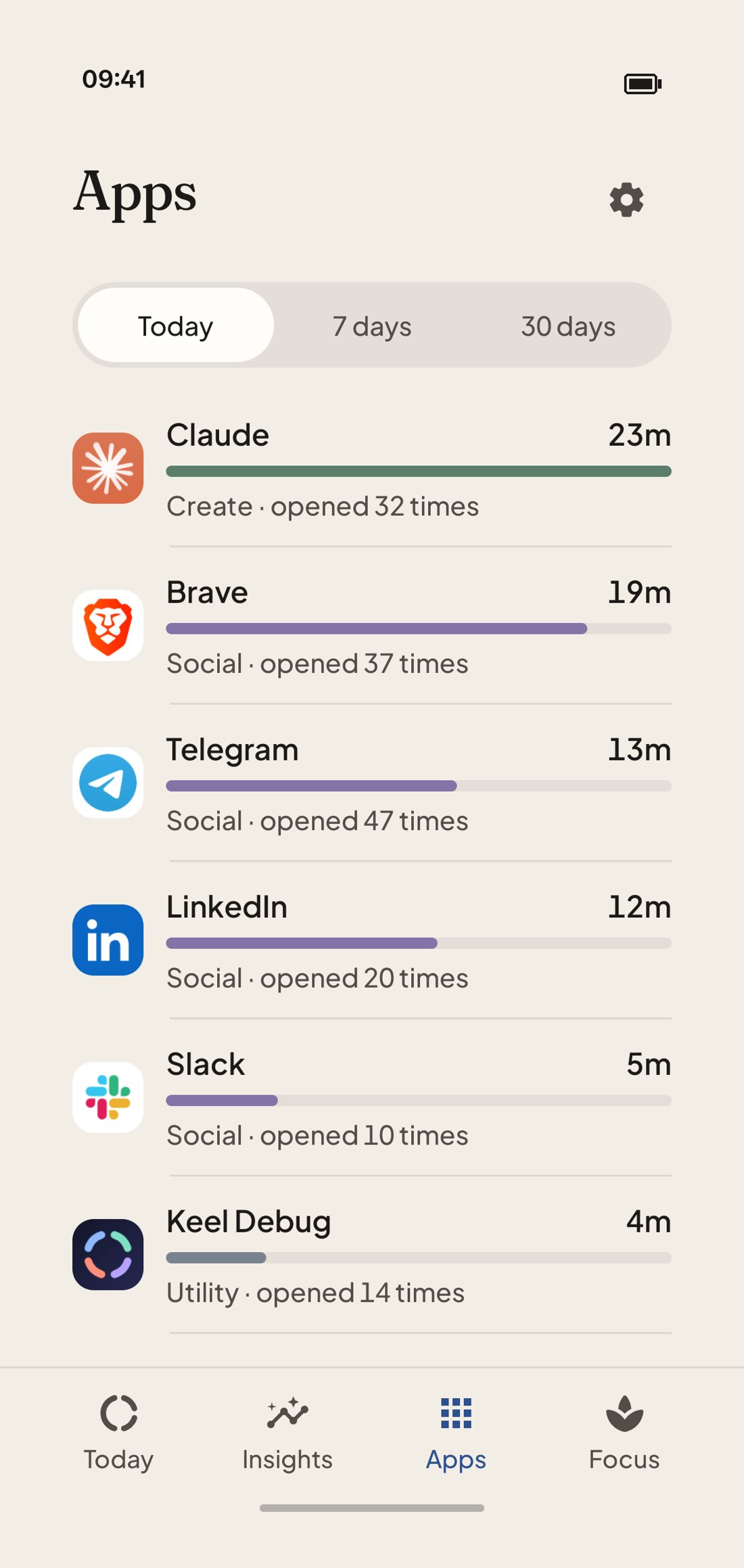
Every app, ranked. Every opening, counted.
See where the time went, today, over 7 days or over 30. Each app shows its real icon, the kind of time it belongs to, and how many times you opened it.
- Kind of time. If Keel guesses an app’s kind wrong, change it.
- Daily limit. A gentle reminder when you pass the time you set. It never blocks the app.
- Opened N times. Often the number that surprises people more than the minutes.
Your run
Days in a row. Time given back.
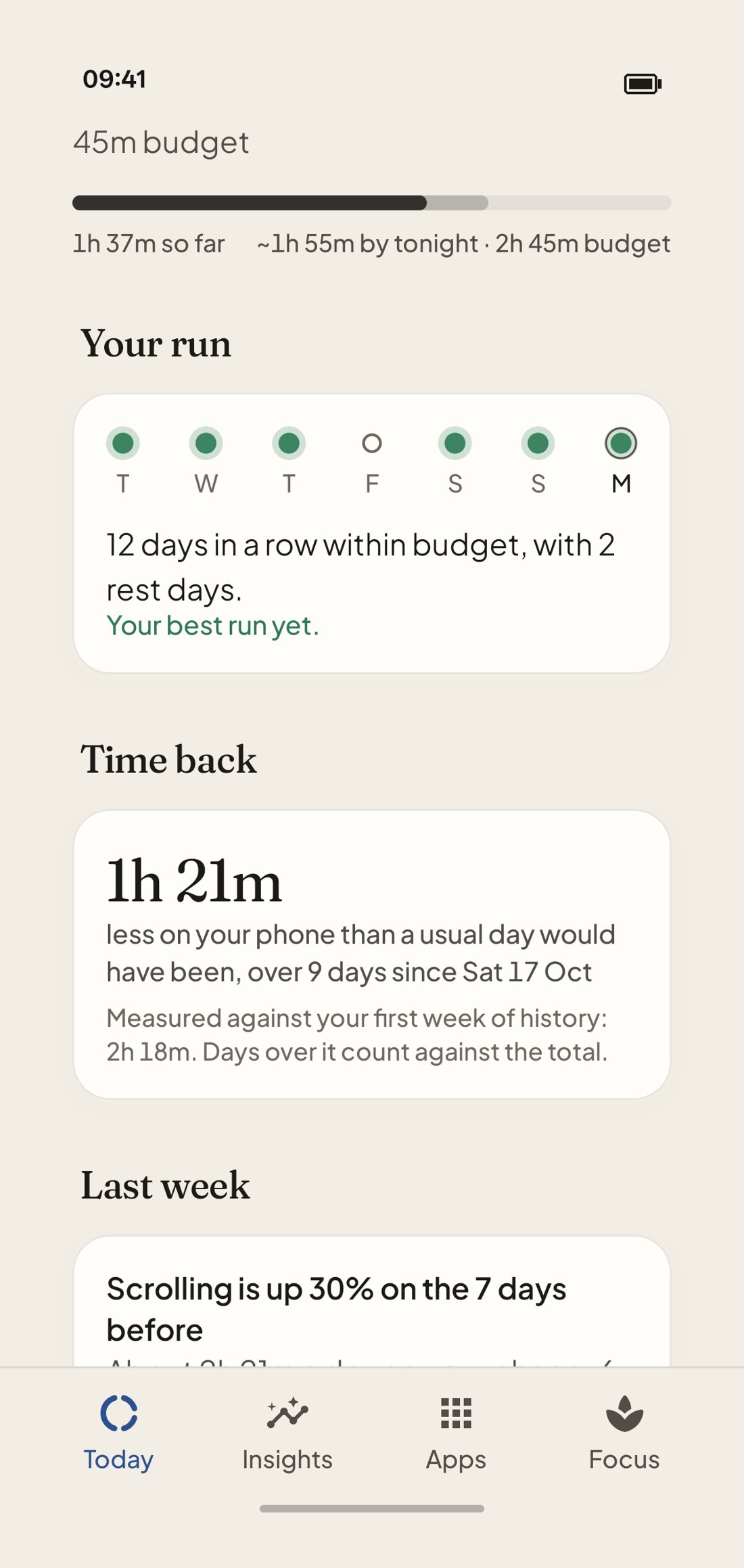
Keel keeps a run of days within your budget, with room for the odd off day. Under it, “Time back” adds up how much less you spent on your phone than a usual day would have taken.
- Rest days. One missed day a week doesn’t count, and doesn’t break the run.
- Time back. Measured against your own first week of history, not someone else’s average.
Focus
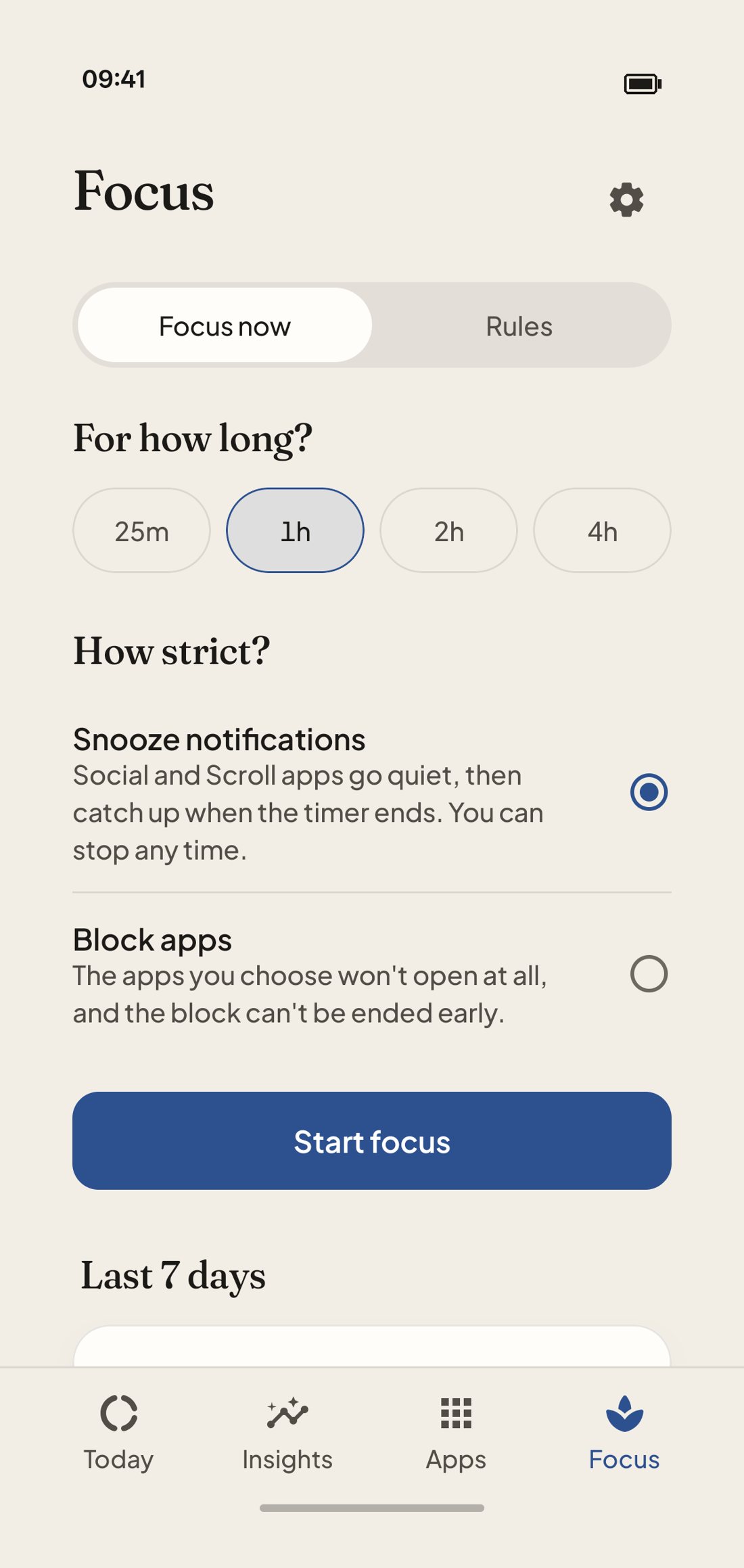
Gentle by default. Firm when you ask.
Three levels, so you choose how much help you want. Try each one.
Targets that build a run.
Set a limit for scrolling. Days within it build your run. Everyone has an off day, so one missed day a week doesn’t break it. A second one that week does.
Last two weeks
0 days
Filled = within budget · Dashed = rest day · Red = a second miss in the week
A pause, not a wall.
A focus session rests your Social and Scroll apps until the timer ends. You can still open one if you really need it.
For how long?
Not running
Pick a length, then start.
Social & Scroll apps stay open until you do.
When you mean it, it means it.
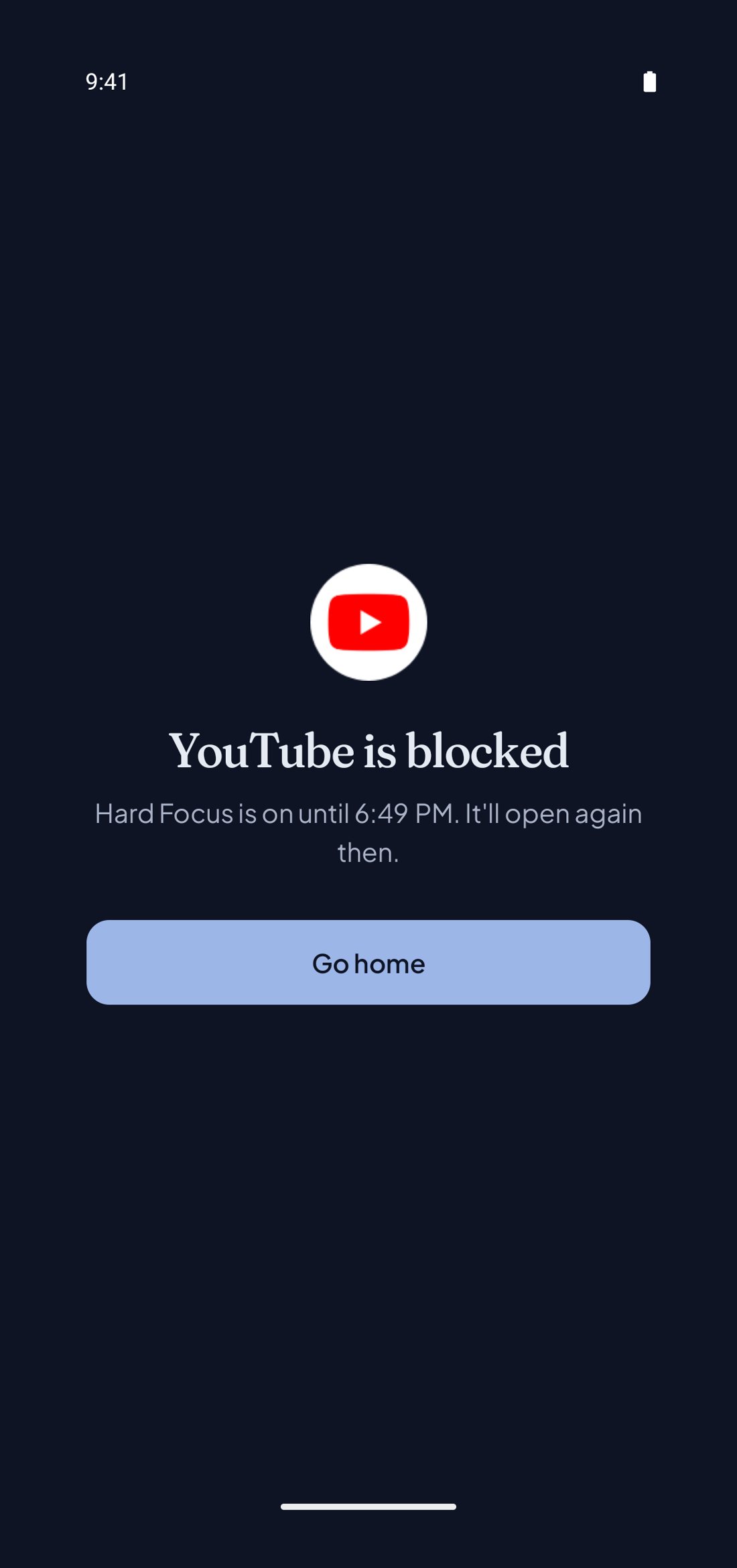
Pick the apps, pick the time. Until it ends, they simply won’t open. Set it for a work block, or every night after 11pm.
- Tap apps on the phone to choose what to block.
- Start Hard Focus.
- Try opening a blocked app. Then try to end it early.
TikTok is blocked
Hard Focus is on until 6:49 PM. It’ll open again then.
Both platforms
Same app, built natively for each phone.
Android
Android 8 and up
Today, from your home screen.
The Keel widget shows today’s screen time, your scrolling and your run without opening the app.
Respect
A mirror, not a scold.
Pointed out, never judged
A long scroll is noted in a sentence, not flagged in red with a streak you’ve “lost”.
Limits that don’t nag
An app limit is a gentle reminder. It never blocks anything unless you turn on Hard Focus.
Your usage stays yours
No account to create and no ads. Your history stays on your phone, and the details are in plain words.
Steady the day.
Keel is free on Android and iPhone. It takes a minute to set up and one permission to start.